
Ausgabenfuchs
Expense tracker with sections
Finance · iPhone · iPad · Mac · Apple Watch
Coming soon
Screenshots
Features
- Log expenses in seconds – also via widget, Siri and Apple Watch
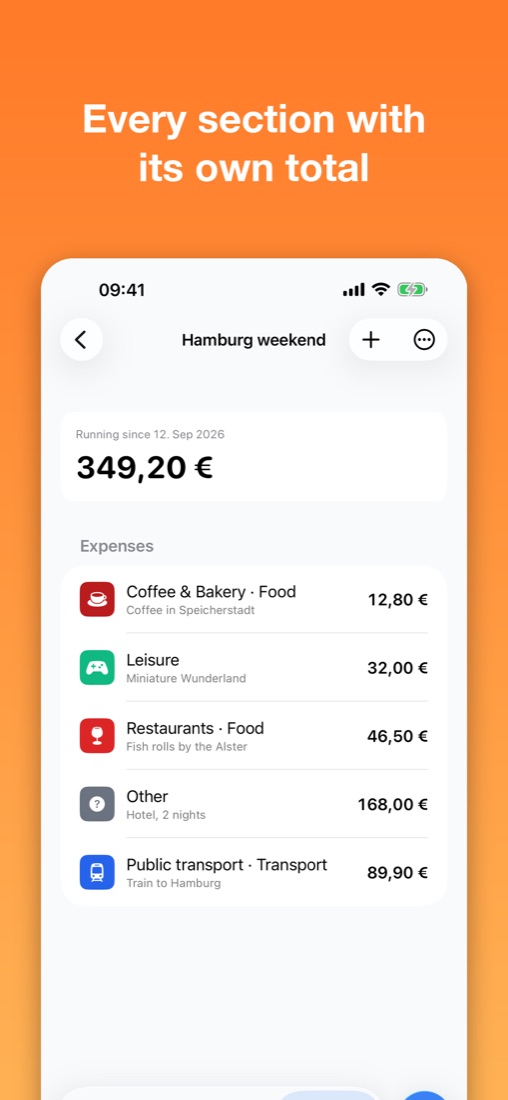
- Sections for trips, projects and more, each with its own total
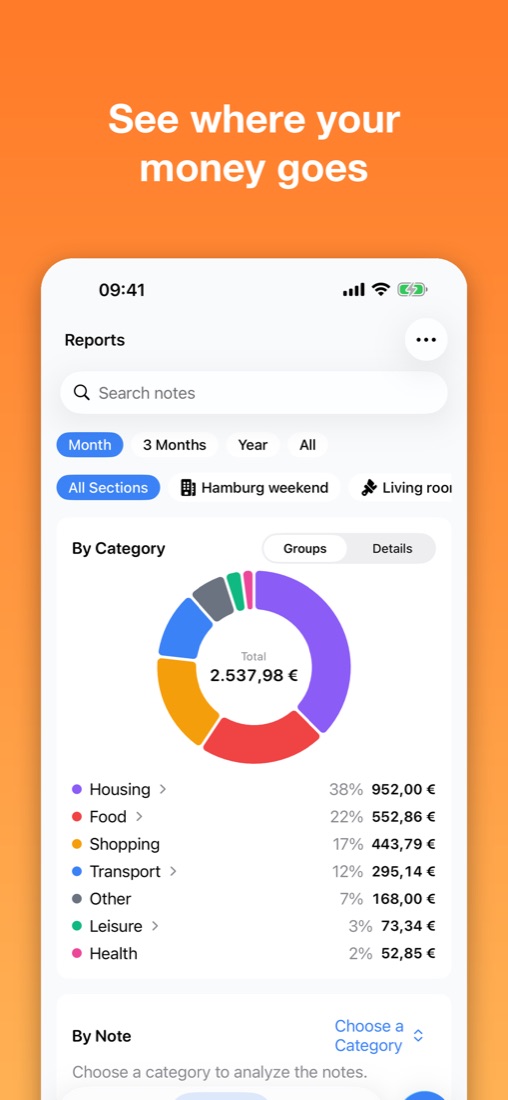
- Reports by category, note and time range
- Categories with subcategories
- iCloud sync between iPhone, iPad, Mac and Watch
- No account, no ads, JSON export
Ausgabenfuchs keeps track of what you spend – fast, clear and without an account.
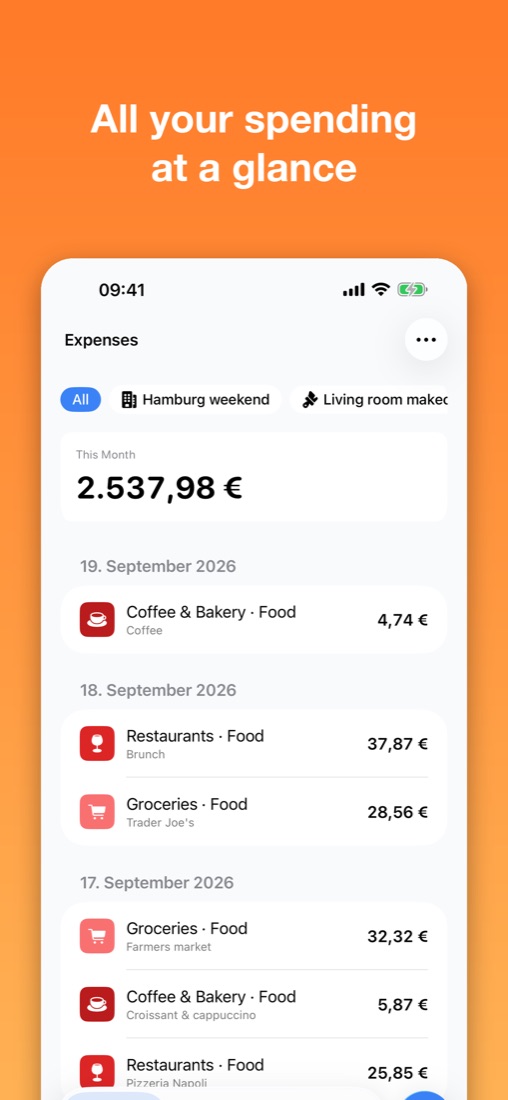
Amount, note, category: that's all an expense needs. Then you see at a glance how much you've spent this month, and in the reports, what on.
Log expenses in seconds
- Add from the widget, Control Center, Siri or your Apple Watch
- Expenses grouped by day, with this month's total always in view
- Seven default categories to start with – fully editable, with your own icons and colors
Sections for trips, projects and more
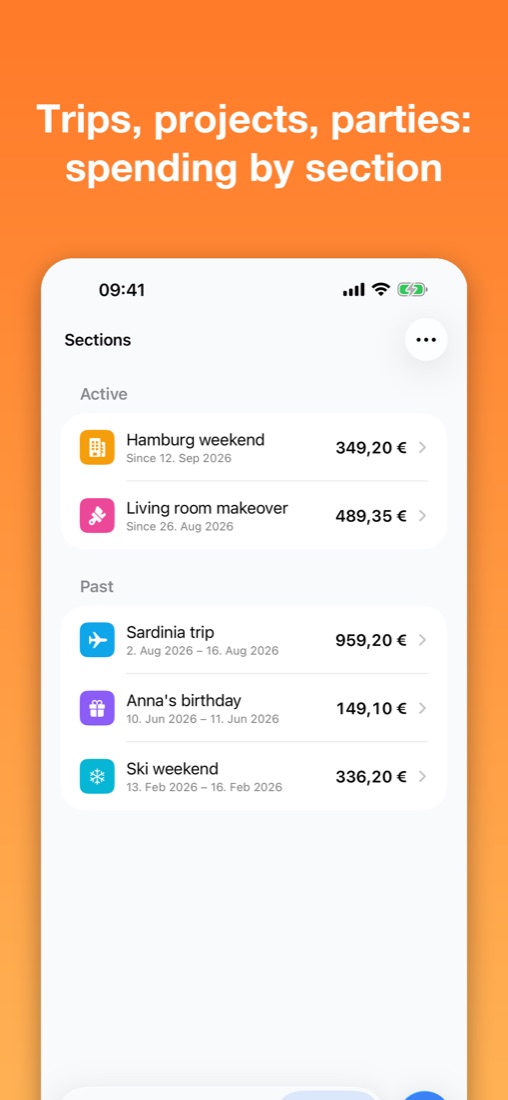
- Group related expenses into sections, like "Sardinia trip" or "Living room makeover"
- Every section shows its own total
- Run several sections at once and hide finished ones
- Filter expenses and reports by section
Reports that answer questions
- Breakdown by category as a chart – with subcategories if you like
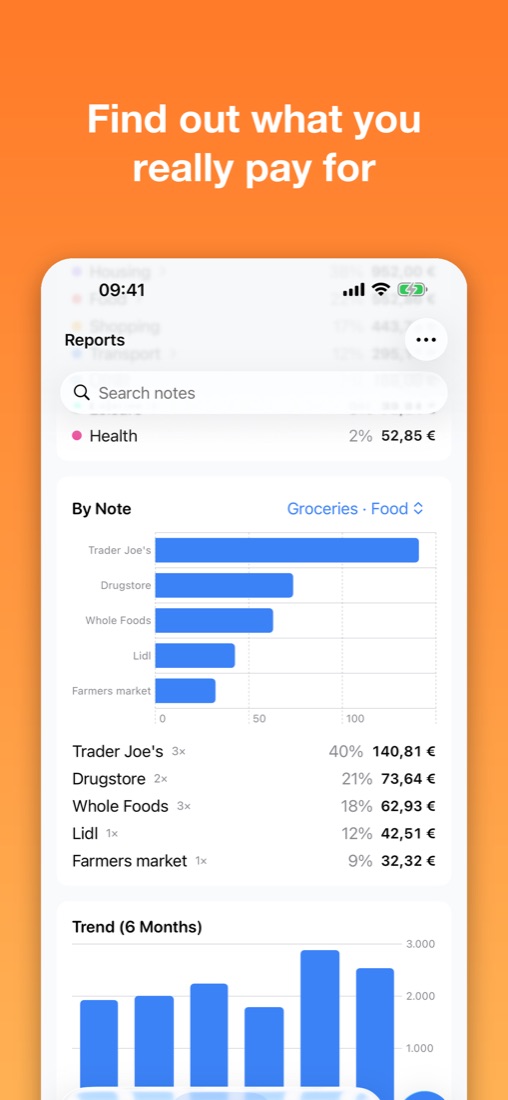
- "By Note": find out what you really pay for within a category, such as which grocery store costs the most
- Six-month trend
- Time ranges: month, 3 months, year or all time
- Search your notes
Categories with subcategories
"Food" becomes "Food · Groceries", "Food · Restaurants" and "Food · Coffee & Bakery". Reports roll them up or show each one on its own.
With you everywhere
- Home Screen and Lock Screen widgets showing your monthly total
- Quick access from Control Center
- Siri and Shortcuts: "Add an expense to Ausgabenfuchs" or "This month's spending in Ausgabenfuchs"
- Apple Watch app
- For iPhone, iPad and Mac
- Sync between your devices via iCloud
Your data is yours
- No account, no sign-in, no ads
- Your data lives in your private iCloud account
- Export and import as a JSON file – for backups or moving to a new device
- All common currencies, set automatically from your region or chosen freely
- Light and dark appearance
Ausgabenfuchs is not banking software: you enter what you spend and stay on top of it – no bank connection, no detours.